Infrastructure on Microsoft Intune
Mobile Device Enroll(MDM)
Mobile Device Management (MDM) is a feature of Microsoft Intune, a cloud-based MDM service that helps organizations manage and secure mobile devices, applications, and data. With Intune, IT administrators at Reg-1 can enroll devices, push apps, restrict devices to a specific operating system, block personal devices, and more. Intune supports the MDM of Android devices, providing secure access to work email, data, and apps. If a device is lost or stolen, all data can be removed from the device.
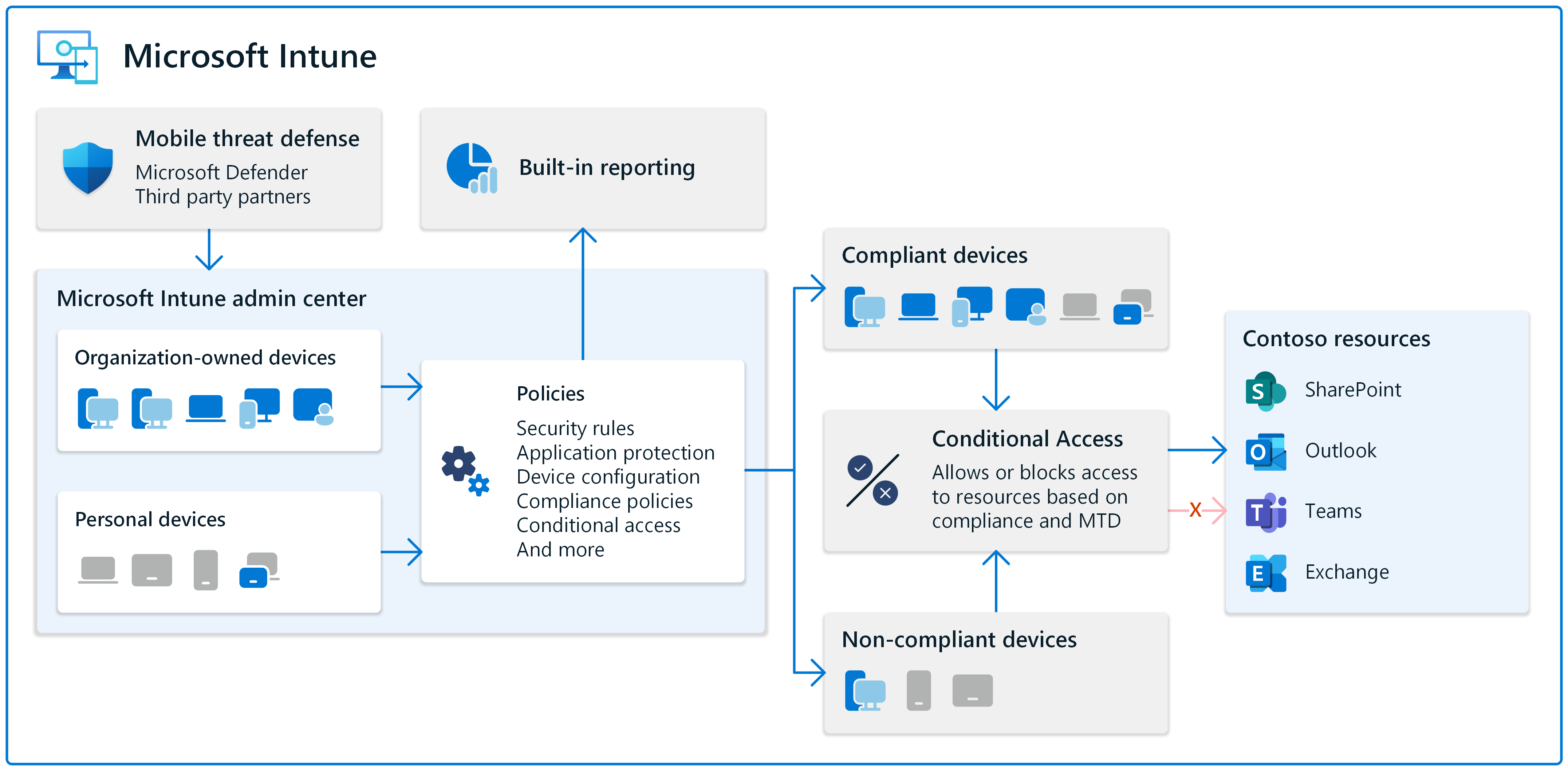
Steps to enroll mobile devices on intune
Mobile Device enrollment
- App Protection and enroll
- To enroll any BYOD(bring your own devices)in intune, user must be in the group, currently in Reg-1 for mobile devices we have multiple teams like Nepal,UK,PH and users are added there.
- App configuration policy: which configure the IOS and Android managed app policy configured
- currently setting for office 365 app configured to open office app must be authenticated with authenticator app
- App Protection Policy:
- currently we have two app protection policies namely:
- android app protection
- ios app protection
- these protection policy are used to secure the office 365 access related to take backup, savew copies to organization onedrive app services, restrict web content transfer with other app only allowed on MS edge which should be equiped with Reg-1 profile.
- Devices Enrollment: currently we have two device type IOS and Android which are enrolled
-
for IOS enrollment:
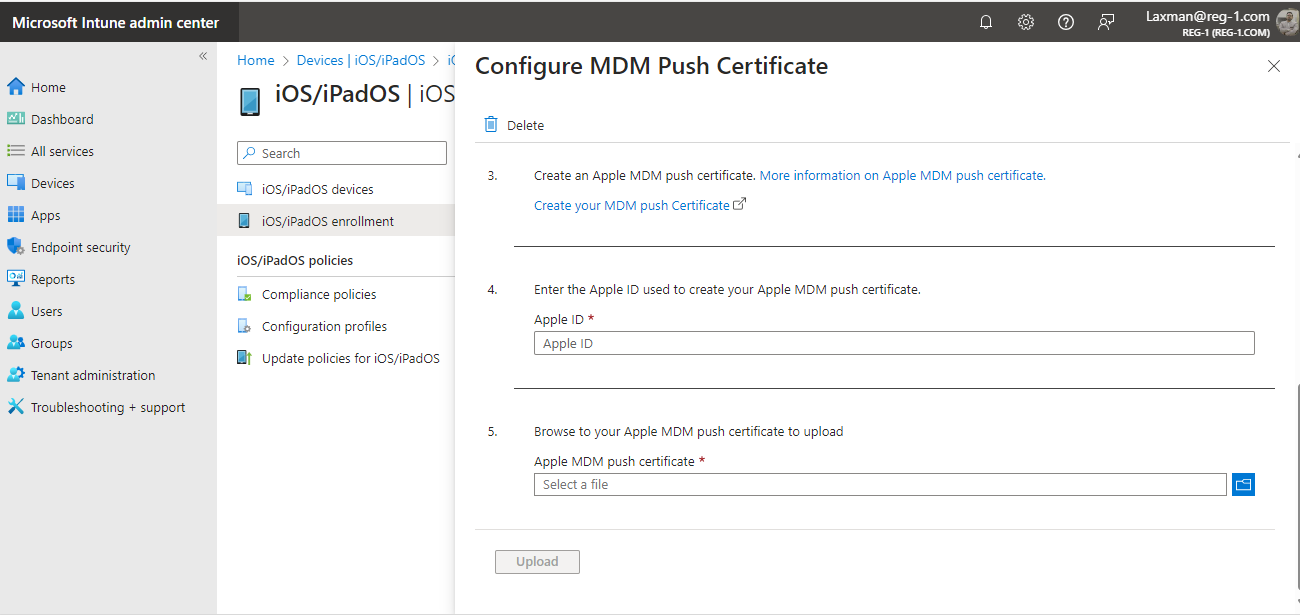
- There are some pre-requisites, we must have apple MDM push certificate, can be configure just clicking the tab on and following the document, first we need to have Apple ID create one and sign in
https://identity.apple.com/pushcert/
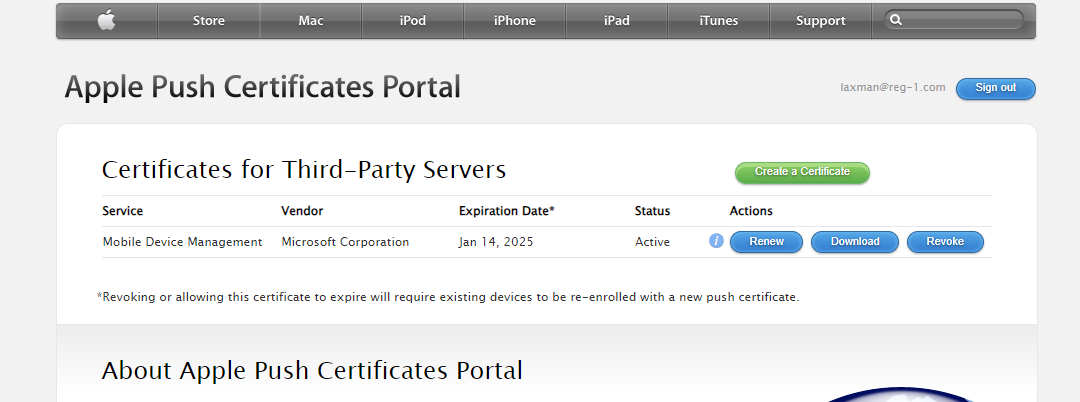
create a certificate and download, which is later uploaded
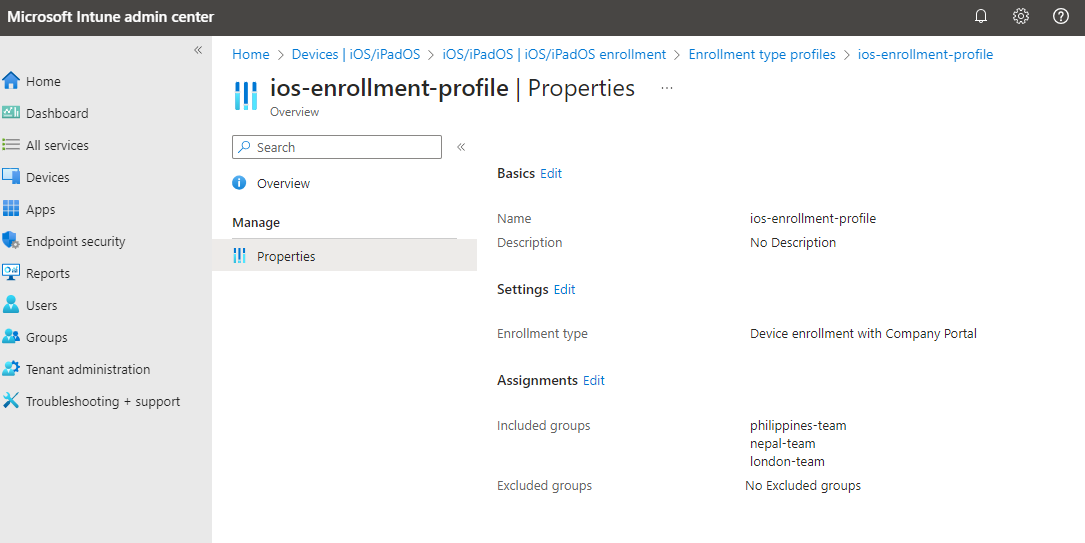
- now go to enrrollment types and create a profile for ios-enrollment and assigned it to the group
now when users try to login Reg-1 office 365 than they should get prompt to configure or enroll their devices - There are some pre-requisites, we must have apple MDM push certificate, can be configure just clicking the tab on and following the document, first we need to have Apple ID create one and sign in
-
for Andriod enrollment
- pre-requisites like managed Google play accountshould be configured
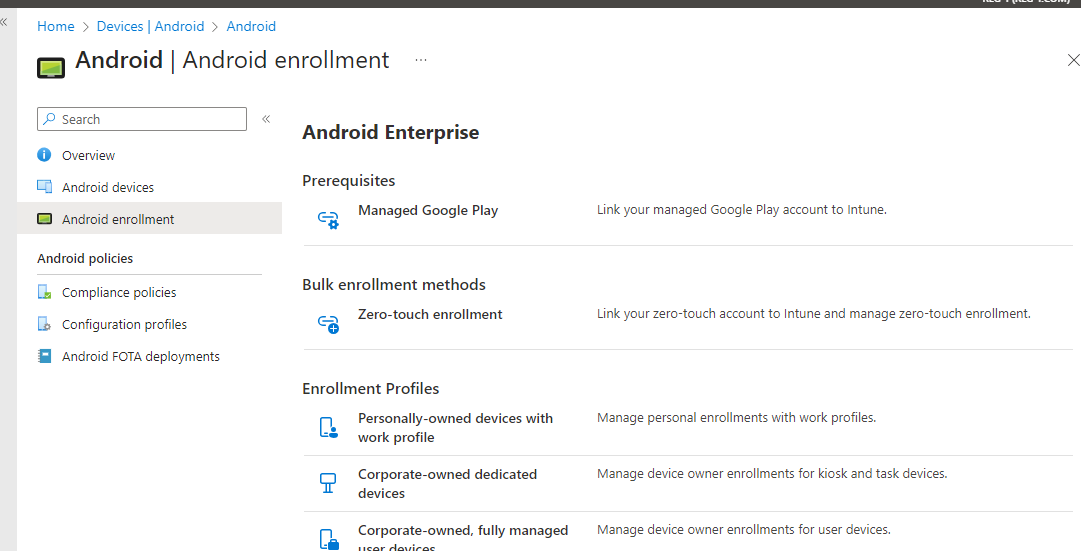
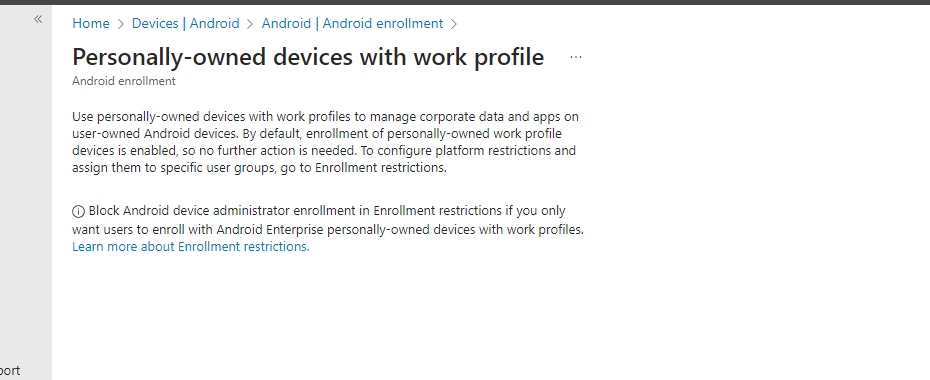
- by default if pre-requisites is done and app configuration and policy hass been assigned to users group, it will ask for to download company portal app and enroll devices to Reg-1 intune.
Note
please configure compliance policies for all devices, related to os version or minimum requirement for devices before enrolling devices on Intune.