Workflow
Overview
We have implemented the CI/CD workflow using GitHub Actions. Currently, we are utilizing our self-hosted runner for deploying our web applications and provisioning infrastructure. We have implemented reusable workflows, as we have a separate repository where all workflows are configured for deployment. We have three reusable workflows for backend codebase deployment to multiple environments, three reusable workflows for frontend deployment, and two workflows for infrastructure deployment.
Reusuable Workflow
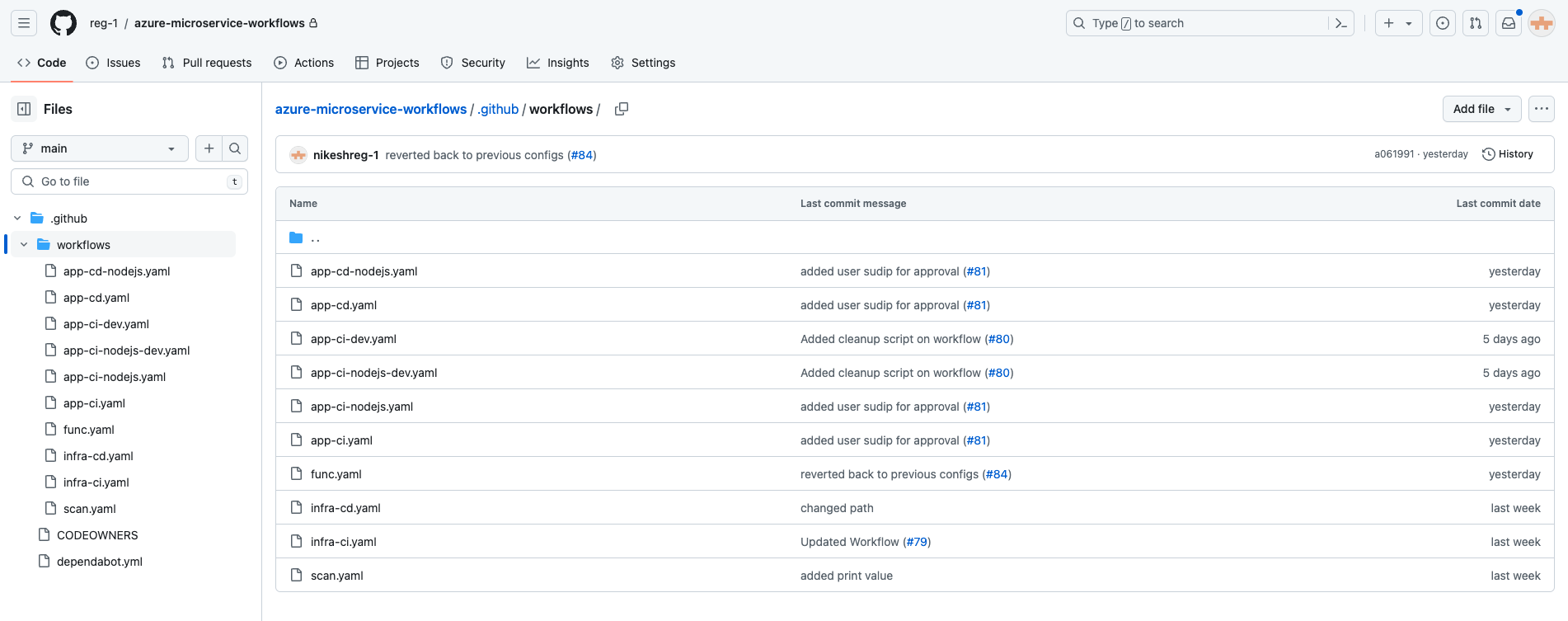
We have created a separate repository for managing the workflow, namely azure-microservices-workflows. Currently, we have two CI/CD YAML files for deploying to the development and staging environments of both frontend and backend. Additionally, we have one more CD YAML file used to deploy the same staging artifact to the non-production and production environments. For infrastructure deployment, we have two workflows: 'infra-ci.yaml' and 'infra-cd.yaml'. We have implemented unit testing and security testing in 'infra-ci.yaml'. These workflows will be called from the other repository and passed the inputs from it. This helps us save time and makes it easier to manage the workflow as we don't need to write the same workflows for multiple repos.
Codebase Deployment
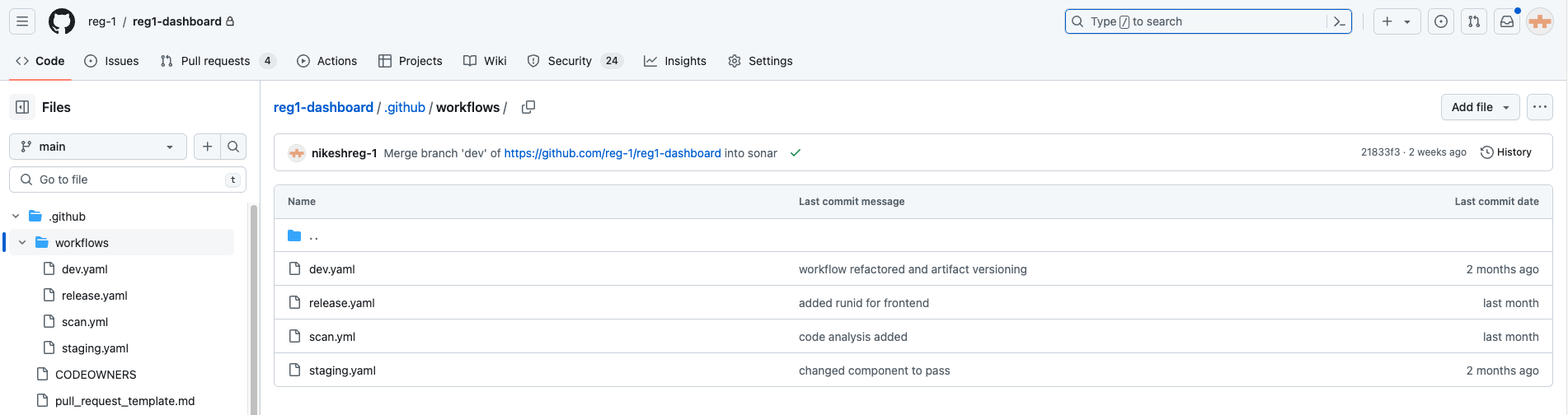
We have three workflow YAMLs in each repository: dev.yaml, staging.yaml, and release.yaml. With dev.yml, it will be triggered on push/merge to the dev branch; that is, whenever new changes appear on the dev branch, dev.yaml will be triggered. In dev.yaml, we are using a reusable workflow, ci-dev.yaml, and also passing some inputs to be used in the reusable workflow.
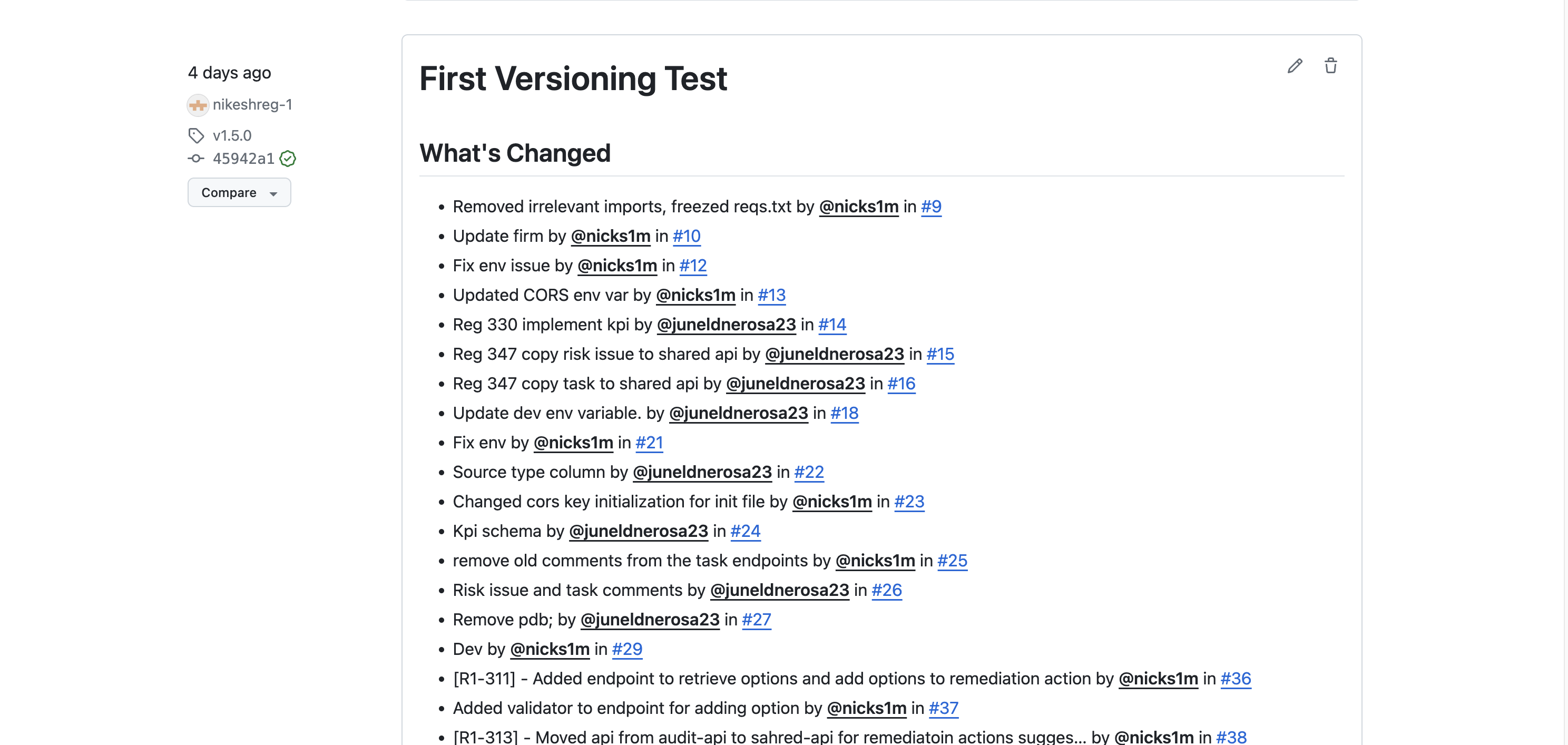
For deployment to the staging environment, we need to merge the dev branch code into the main branch and tag the code with "v[x.x.x.x]". If we push the tag to the repo with that format, it will automatically start triggering the staging.yaml workflow. However, it will only run the CI process, as we have implemented manual approval to deploy to the staging environment as well. Once we get approval from the concerned person, only then will the CD deployment be done to the staging environment. After creating the tag, we need to create a release for tracking the changes of the previous version and changes on the new tagged version.
For deployment to the non-production and production environment, we need to pass the same artifact tag of the staging environment because we don't have any CI process executing on the release.yaml. Once we manually run the release.yaml from the repo, it will firstly ask for manual approval, and only then will the CD deployment YAML be run. The manual approval jobs are also part of the reusable workflow, where they will be run initially and until manual approval is received, another CD deployment job won't be executed.
Note: The same steps and procedures will be executed for both frontend and backend codebase deployment. However, the only difference lies within the files, specifically in the build process. The build process differs between the frontend and backend, but all other steps remain the same.
Infra Deployment
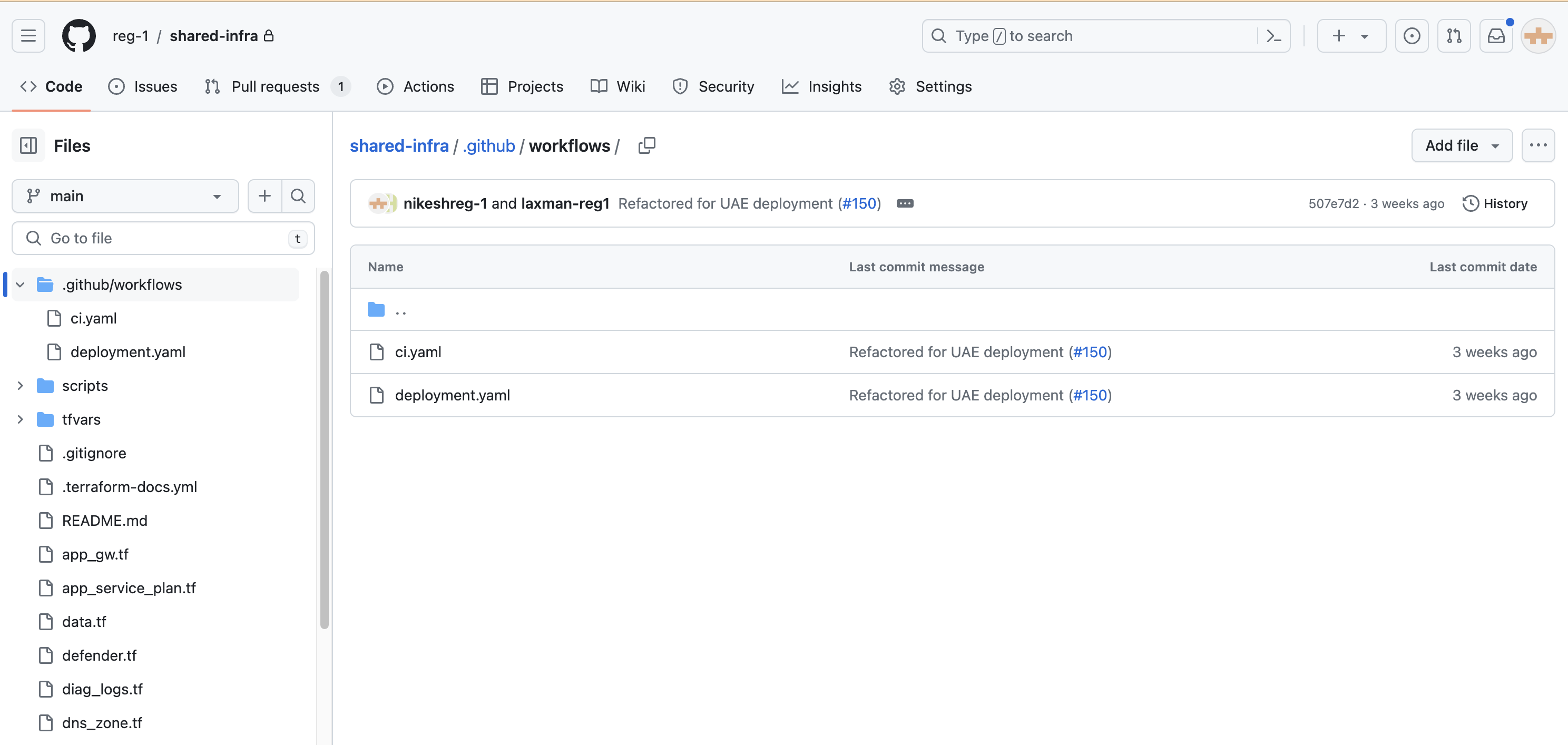
We have two workflows in each repository for infra deployment, namely ci.yaml and deployment.yaml. With ci.yaml, it will be triggered when we create a pull request to the main branch, deploying to the development environment. For deployment to other environments, we need to merge the code into the main branch and create a tag with [1.x.x]. After creating the tag, we need to manually run the deployment for the other three environments. During manual deployment, the Terraform plan starts running, but it won't deploy directly as we have a manual approval step after the Terraform plan job. This is because we need to review the changes in the environment and make the decision whether to approve or deny. For validation purposes and to prevent accidental destruction, we have placed manual approval between the Terraform plan and Terraform apply jobs.
Codebase Artifact Rollback
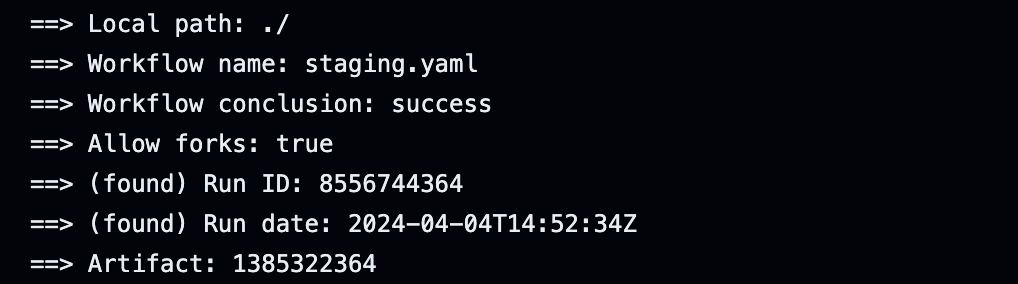
We can rollback the artifact to the desired version in both the nonprod and prod environments. To do this, we need to pass the Run ID of the version we want to rollback. To obtain the Run ID, we should navigate to the workflow associated with the artifact we wish to rollback. Then, we need to expand the download actions, where we will be able to locate the Run ID of the artifact.
Static Code Analysis
We perform static code analysis using the SonarQube tool to scan our code. We implement this to maintain the quality of our code and to detect vulnerabilities, bugs, and code smells. This workflow is executed whenever new code is pushed to the dev branch across all repositories. Additionally, we have set the code coverage to 80% and integrated a Quality Gate into the workflow, requiring the code coverage to be at least 80% to pass the pipeline.